Bedri Yılmaz
For me, choosing a browser is not just about surfing the internet; productivity, speed, and artificial intelligence integration are equally decisive factors. That’s why ChatGPT Atlas Browser represents a completely different understanding compared to conventional browsers.
1. AI-Powered Integrated Assistant

Atlas is the first desktop application developed by OpenAI that integrates ChatGPT directly into the browser. Thanks to this integration, I can analyze, summarize, or evaluate the content of any webpage from an SEO or analytical perspective. For example, when I open an academic paper, news article, or technical document, ChatGPT instantly extracts the essence of that page for me.
2. Context-Aware Intelligent Assistance
One of Atlas’s most remarkable features is its ability to turn every tab into a context-sensitive chat space. This means that the open web page is always within ChatGPT’s “field of vision.” As a result, I can instantly perform tasks such as “summarize this page,” “convert this product’s technical details into a table,” or “verify the sources mentioned in this article” — all without leaving the page.
3. How It Differs from Traditional Browsers
Browsers like Google Chrome, Safari, or Firefox merely display a page and leave interpretation to the user. Atlas, however, transforms this process into an active collaboration — reading, understanding, and reporting content on your behalf.
It can:
- Summarize text content in natural language.
- Analyze visuals, tables, or uploaded documents.
- Learn my preferences over time and make tailored suggestions.
- Support its answers by searching the web for up-to-date information.
These capabilities make Atlas more than just a browser; it becomes an AI-driven productivity platform.
4. Privacy and Data Security
While working with ChatGPT integration, Atlas does not share my browsing history with third parties. All conversations and web interactions are protected through local device-level security layers. This ensures a reliable environment for both my professional work and personal research in terms of data privacy.
5. A New-Generation Browser for Professionals
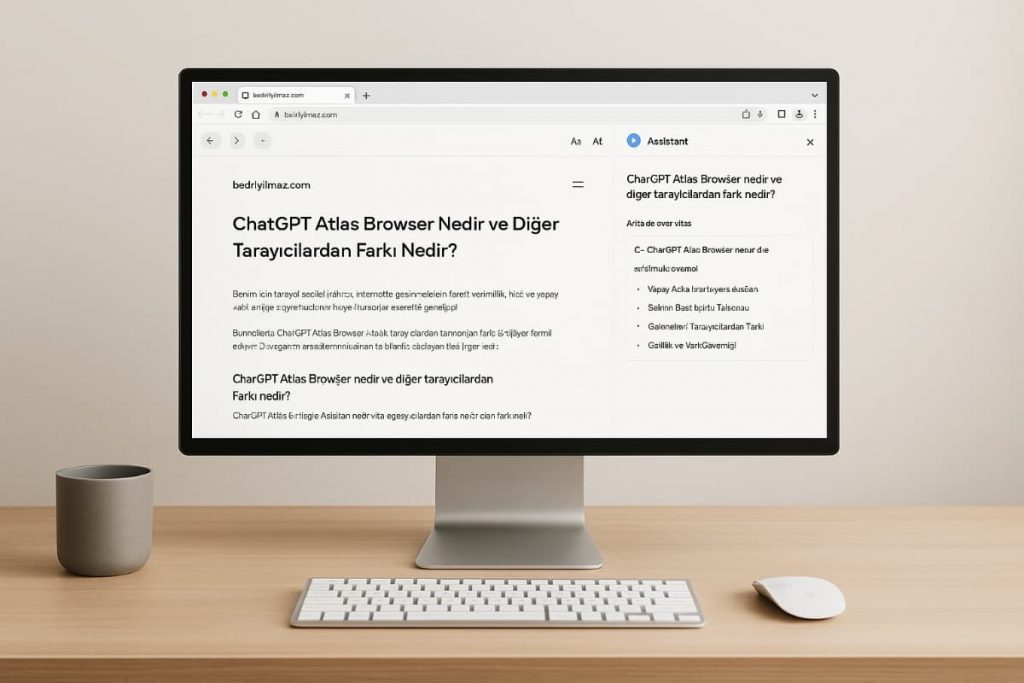
As a content creator, researcher, or legal professional, the biggest advantage for me is the ability to analyze documents, articles, or web pages and then instantly export the results as text, summaries, or full reports.
Atlas can also “read and edit” content from WordPress, Google Docs, PDFs, or even emails, making it an ideal assistant for knowledge-intensive work.
🧭 Conclusion
ChatGPT Atlas Browser transforms web browsing from a passive action into an active process of productivity. In other words, this browser doesn’t just open pages — it understands, interprets, and transforms the information within them.